
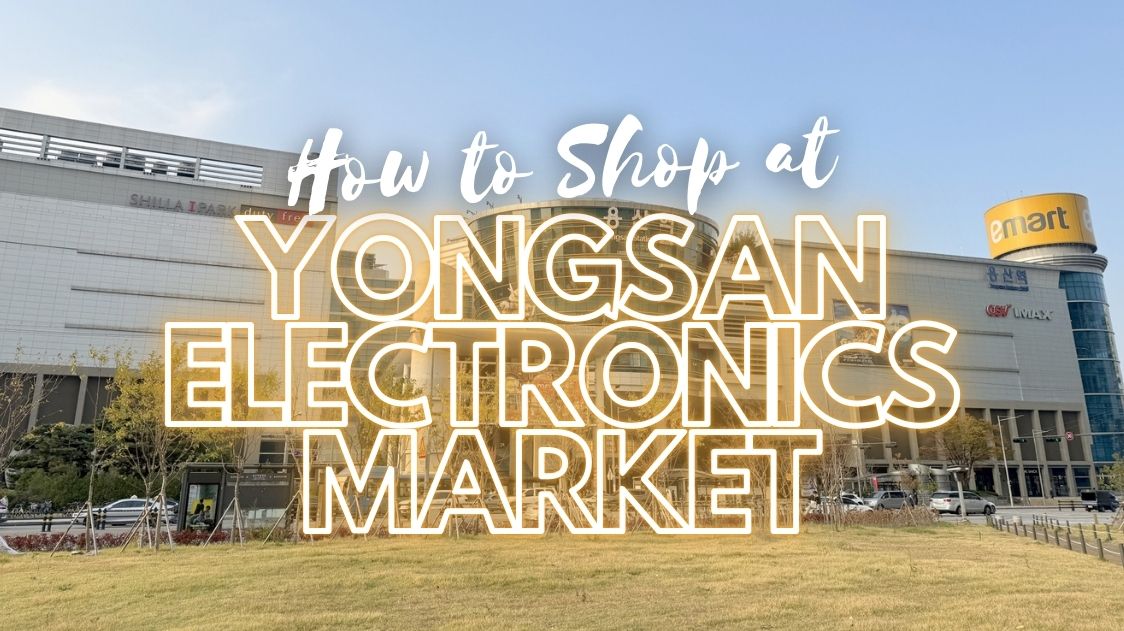
If you’re researching how to shop at Yongsan, you’re probably planning a visit to one of Asia’s most famous electronics districts. Located in Seoul, the massive tech retail area known as Yongsan has been a go-to destination for gadgets, computer parts, cameras, audio systems, and gaming gear for decades.
For first-time visitors, the size and layout can feel overwhelming. The market is not a single building but a network of complexes, side streets, and specialised malls spread across the Yongsan District. Prices vary by vendor, product authenticity matters, and some negotiation is expected in certain shops.
This step-by-step guide will show you exactly how to shop at Yongsan, from planning your visit to closing the deal, so you can buy confidently and avoid common mistakes.
1. Understand What Yongsan Electronics Market Is
Before you go, it’s important to understand the structure of Yongsan Electronics Market.
Yongsan is a large electronics retail zone composed of multiple buildings and plazas. Some focus on wholesale computer components, others specialise in cameras, used electronics, gaming consoles, or audio equipment. You’ll also find repair services, custom PC assembly stores, and accessory vendors.
Major complexes include:
- I’Park Mall : A modern shopping mall connected to the station, with brand-name electronics and big retail chains.
- Kukje Electronics Center: Known for gaming, consoles, and hobby electronics.
- Sunin Plaza: Popular for computer parts and PC customisation.
Each building has a different vibe. Some are polished and corporate; others feel like traditional tech bazaars with independent vendors competing side by side.
If you want to master how to shop at Yongsan, start by identifying which building matches your needs.
2. Plan Your Visit in Advance
Check Product Availability
Not every shop stocks the same items. If you’re searching for a specific GPU, rare camera lens, or imported mechanical keyboard, check Korean retailer websites or message sellers ahead of time through platforms like Naver.
Some vendors speak English, but not all do. Bringing a translated product name in Korean can save time.
Compare Korean Prices First
Before visiting, compare prices online from major Korean retailers. This gives you a reference point so you know if a deal at Yongsan is competitive.
Many first-time visitors assume everything is cheaper there. That’s not always true. Some items cost the same as online listings, while others may be discounted if you pay in cash.
Bring the Right Payment Method
- Cash sometimes unlocks better pricing.
- Korean credit cards are widely accepted.
- Foreign cards work in many stores, but small vendors may prefer cash.
Knowing this is a key part of how to shop at Yongsan efficiently.
3. Getting to Yongsan Electronics Market
The easiest way to reach the area is via Yongsan Station, a major rail and subway hub.
You can access it using:
- Seoul Subway Line 1
- ITX trains
- KTX high-speed rail connections
The electronics buildings are directly connected or within a short walking distance from the station. If you’re arriving from abroad via Incheon International Airport, you can take the AREX train into Seoul and transfer to Line 1.
Arriving early in the day (late morning to early afternoon) gives you more time to compare shops before closing hours.
4. Walk the Area Before Buying
One of the biggest mistakes people make when learning how to shop at Yongsan is buying from the first vendor they see.
Instead:
- Walk through the entire floor.
- Check at least 3–5 stores for price comparisons.
- Ask for the “cash price” and the “card price.”
- Take photos of product labels to compare model numbers.
Because many vendors sell similar items, small price differences are common. Spending 30 extra minutes comparing could save you a significant amount.
5. Know What You’re Buying
Yongsan is known for:
- Computer components (CPUs, GPUs, motherboards)
- Custom-built PCs
- Cameras and lenses
- Gaming consoles
- Audio equipment
- Cables and accessories
- Used electronics
If you’re buying PC parts, double-check compatibility before purchasing. Some stores specialise in building custom PCs on the spot. They can assemble a full system in under an hour if all parts are available.
For cameras and audio gear, confirm:
- Warranty coverage in Korea
- International warranty status
- Return policies
Understanding product details is essential when mastering how to shop at Yongsan successfully.
6. Ask About Warranty and Returns
Warranty policies vary by store.
Important questions to ask:
- Is this product new, refurbished, or used?
- Does it include a manufacturer warranty?
- Is the warranty valid outside Korea?
- What is the return window?
In many small shops, returns are limited unless the product is defective. Larger retailers inside I’Park Mall usually follow standardised return policies.
If you’re a tourist planning to leave Korea soon, verify how warranty claims would work from abroad.
7. Negotiation: What to Expect
Negotiation exists, but it’s not aggressive bargaining like in open-air markets.
Here’s how it typically works:
- Independent vendors may adjust prices slightly.
- Cash payments can sometimes reduce the total.
- Bulk purchases increase your leverage.
Polite negotiation works best. A simple “Can you do any better on the price?” is enough. Being respectful is important in Korean business culture.
Do not expect dramatic discounts on brand-new items with tight margins.
Understanding this aspect is central to how to shop at Yongsan like a local.
8. Tax-Free Shopping for Tourists
Some stores offer tax refunds for foreign visitors.
Look for:
- “Tax Free” signage
- Passport requirement at purchase
- Minimum spending thresholds
You may receive the tax refund instantly at the store or process it at the airport. Policies vary by vendor.
Keep receipts organised in case you need them at departure.
9. Buying Used Electronics
Yongsan has a strong second-hand market. You’ll find used:
- Laptops
- DSLR cameras
- Lenses
- Audio equipment
- Game consoles
When buying used items:
- Inspect physical condition carefully.
- Test the device before paying.
- Ask about any remaining warranty.
- Confirm battery health for laptops.
Used items usually allow slightly more negotiation flexibility.
If you are researching how to shop at Yongsan on a budget, the second-hand section can deliver strong value.
10. Custom PC Builds at Yongsan
One of the most popular reasons people visit is to build a custom desktop.
Here’s the typical process:
- Choose components (CPU, GPU, RAM, storage).
- Vendor checks compatibility.
- They assemble the system on-site.
- You test it before leaving.
Assembly fees are often low or included in the total price. Make sure to ask for all original boxes and warranty documents for each component.
Custom builds are one of Yongsan’s strongest advantages compared to standard retail stores.
11. Language Tips
English is spoken in many shops, but not universally.
Helpful strategies:
- Show photos of the product.
- Use translation apps.
- Write specifications clearly (e.g., “RTX 4070 Ti 12GB”).
Most vendors are patient and used to helping foreign buyers.
12. Safety and Authenticity
Yongsan is generally safe. Still:
- Buy from established-looking stores.
- Avoid deals that seem unrealistically cheap.
- Check manufacturer seals.
- Verify serial numbers for high-end products.
Counterfeit electronics are not common in reputable buildings, but caution is smart when buying expensive gear.
13. Best Time to Visit
Weekdays are calmer and better for price comparisons.
Weekends can be crowded, especially during Korean sales seasons or tech launch periods.
Many stores open around 10:00–11:00 AM and close between 7:00–8:00 PM. Smaller vendors may close earlier.
Timing affects your experience when learning how to shop at Yongsan efficiently.
14. Shipping Your Purchases Abroad
If you’re buying large items:
- Ask about international shipping.
- Compare shipping rates independently.
- Consider luggage limitations if flying.
Some vendors offer export services, but not all.
For expensive purchases, calculate customs duties in your home country before buying.
15. Common Mistakes to Avoid
When figuring out how to shop at Yongsan, avoid these errors:
- Not comparing prices across multiple stores.
- Forgetting to ask about warranty terms.
- Assuming every item is discounted.
- Skipping compatibility checks for PC parts.
- Ignoring voltage differences for certain electronics.
Planning prevents costly problems.
16. Is Yongsan Still Worth Visiting?
Online shopping is strong in Korea, and some locals now buy electronics digitally. However, Yongsan remains valuable for:
- Immediate access to parts
- Custom PC assembly
- Side-by-side price comparisons
- Access to niche tech items
For tech enthusiasts, photographers, gamers, and PC builders, it continues to be one of Seoul’s most practical shopping destinations.
Final Thoughts on How to Shop at Yongsan
Learning how to shop at Yongsan is about preparation, comparison, and asking the right questions. The market rewards buyers who:
- Research in advance
- Compare multiple vendors
- Verify warranty coverage
- Inspect products carefully
If you approach Yongsan strategically, you can secure competitive prices and find items that may be harder to source elsewhere.
With the right plan, you won’t feel overwhelmed by its size or complexity. Instead, you’ll navigate confidently, evaluate offers clearly, and complete your purchase knowing you made an informed decision.
That’s how to shop at Yongsan successfully.